QLT Module instructions
- How to run QLT module?
Answer:
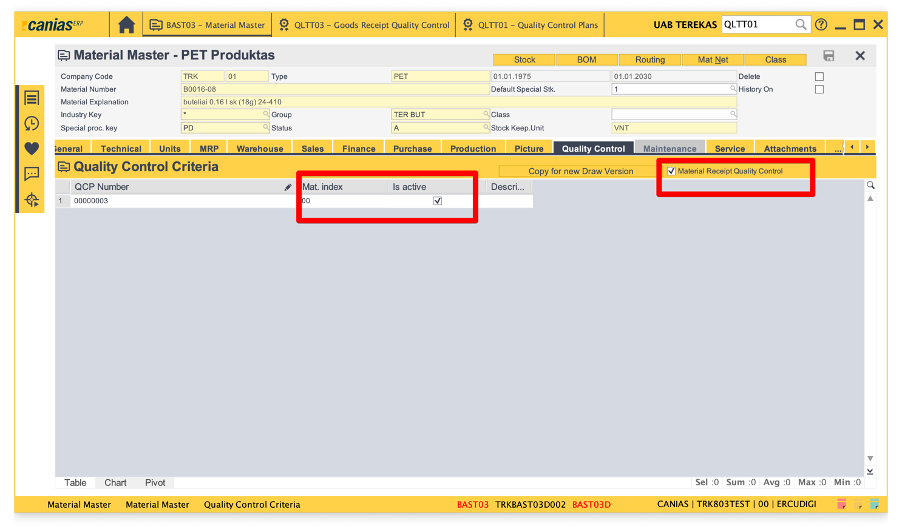
Quality Management- Material Card Relationship should be established. The material to be used in the quality management process and the quality control plan match are defined. Control criteria required for the relevant material in the processes will be formed over the selected plan. In BAST03 “ material receipt quality control “ and “ is active “ are supposed to be marked.
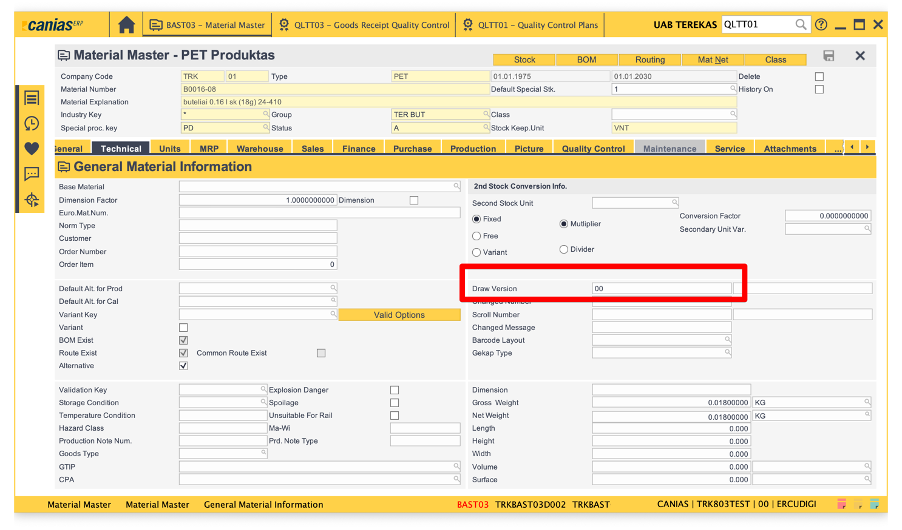
In BAST03, in technical field draw version must be 00.
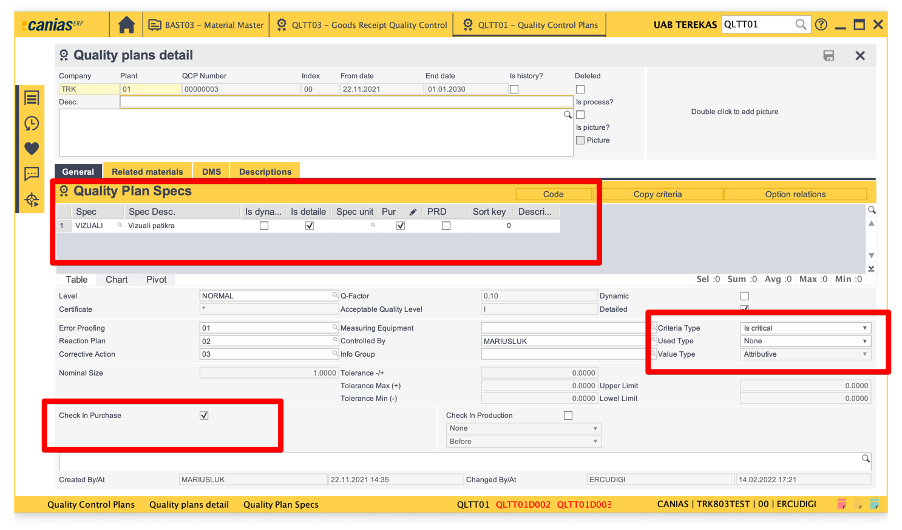
Creation of the quality control plan in QLLT01.
With the QLTT01 application, a new quality control plan can be defined. The QLTT01 application opens. „New“button is pressed.
Relevant fields are defined and the „Confirmation“ button is pressed. The areas are supposed to be completed as in the picture.
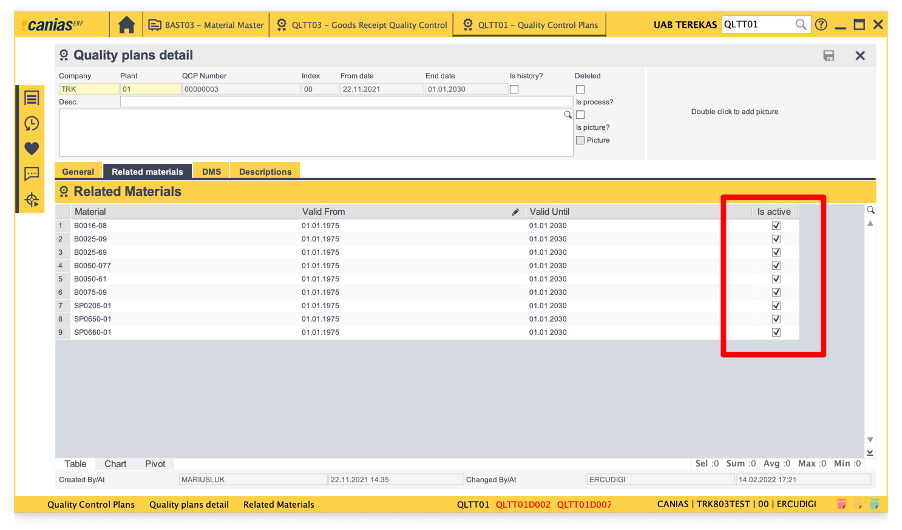
After the definitions made, the „Related Materials“ tab opens.
From this tab, the relevant quality within the control plan, it is selected which materials will go through the quality control process.
After the definitions, a new quality control plan is created by clicking the „Save“ button.
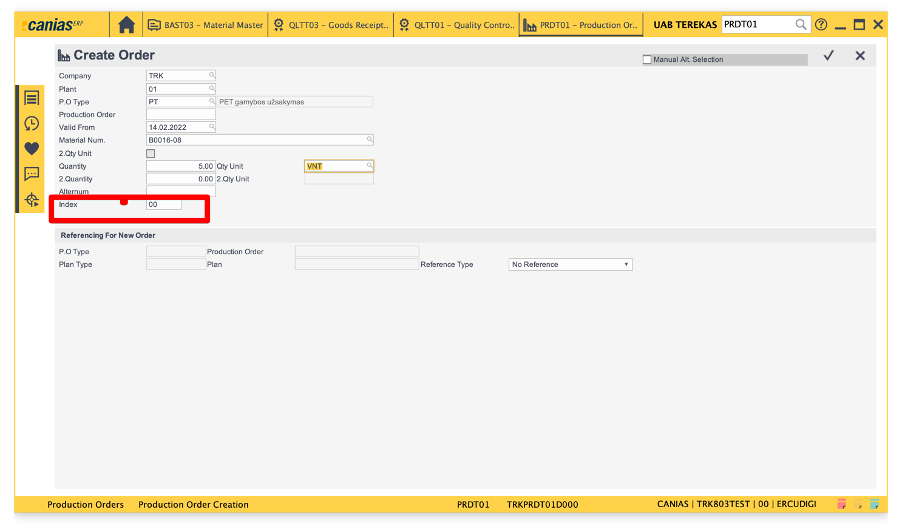
After all these arrangements, when you go to PRDT01 to create a production order, you are supposed to write index as 00, which is matching with BAST03 -technical field.
After creating production order, go to PRDT02 to confirm the order.
After confirmation in PRDRT02, you can go to QLTT03 to check the material.
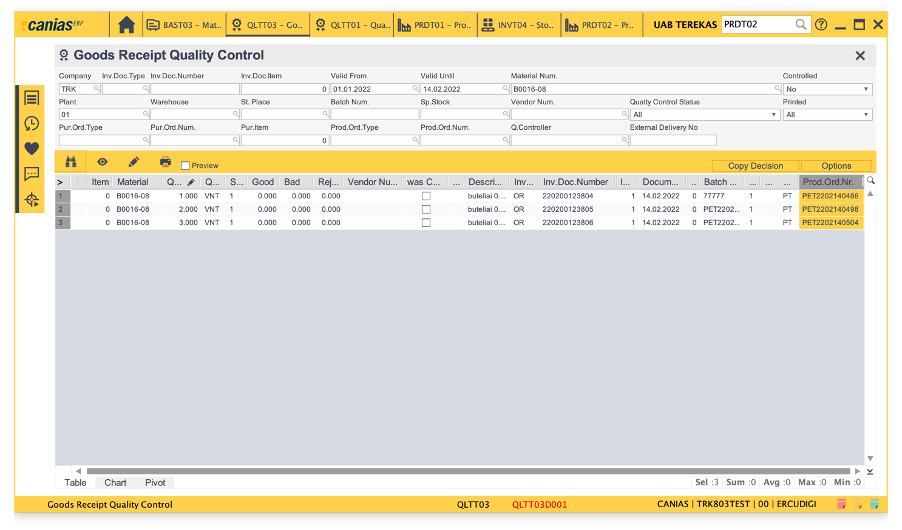
Then you can evaluate the material whether they have good or bad quality by clicking double on it and looking into it.
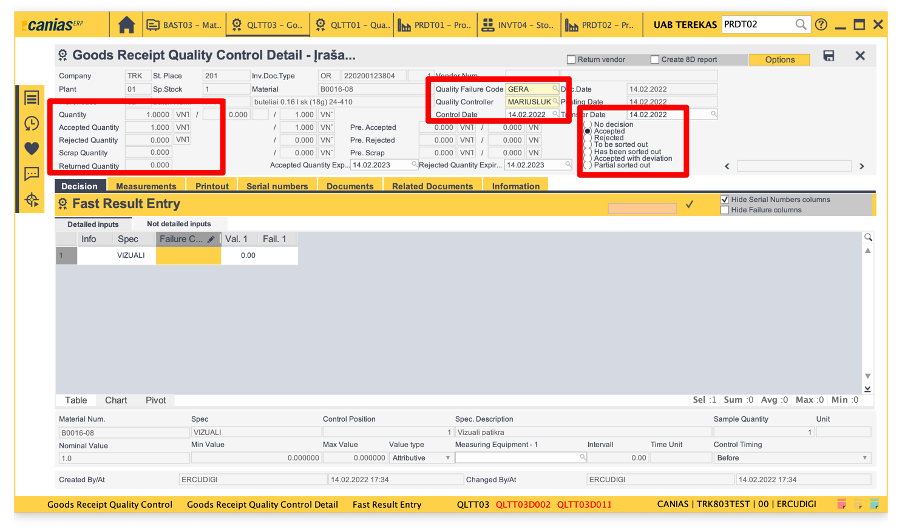
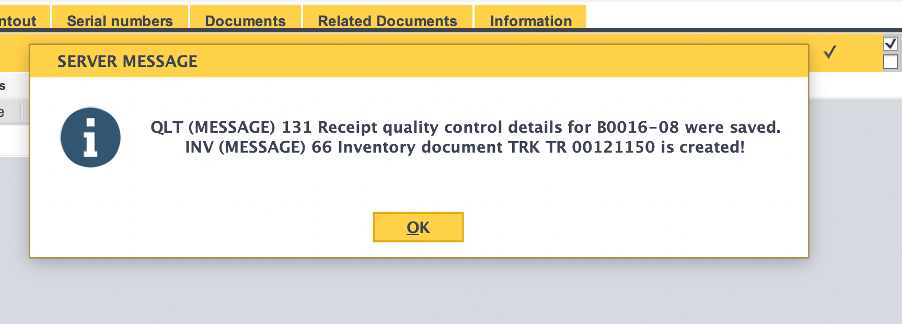
Then when you save it, you will get the message below.
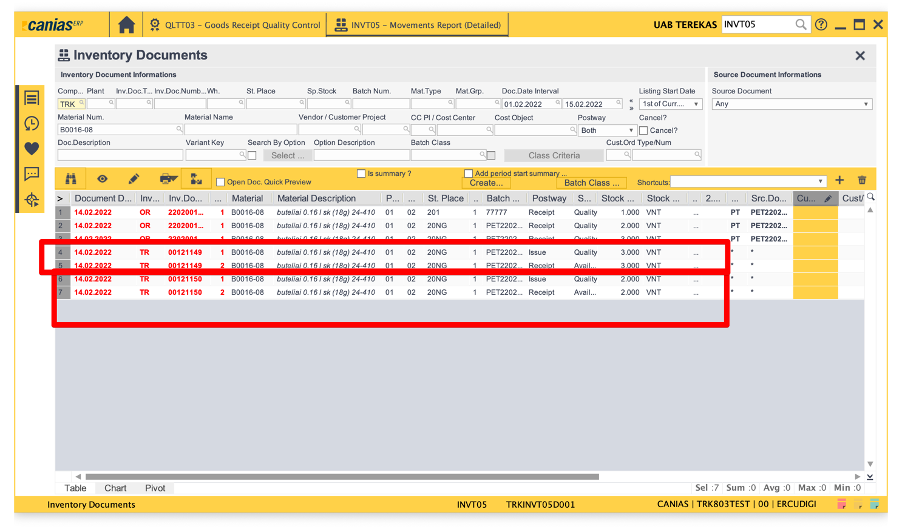
When you check in INVT05 you will see the receipt and issue movements.
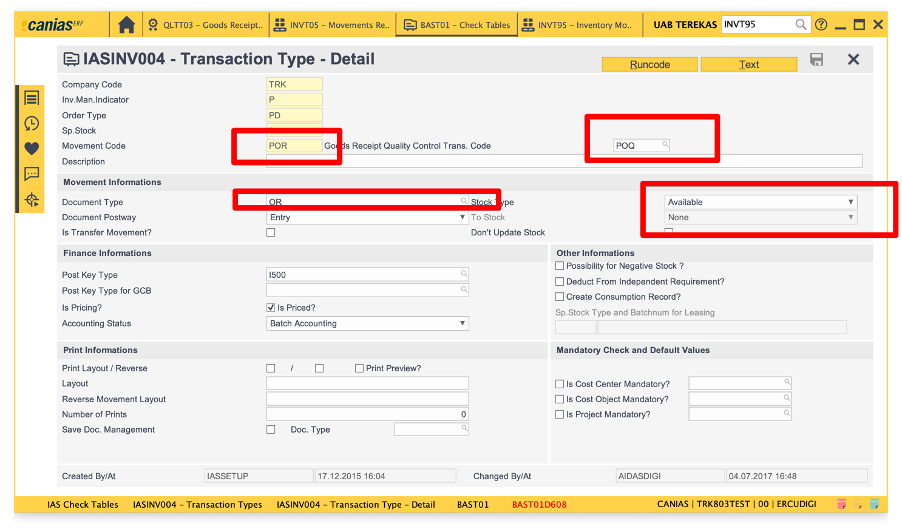
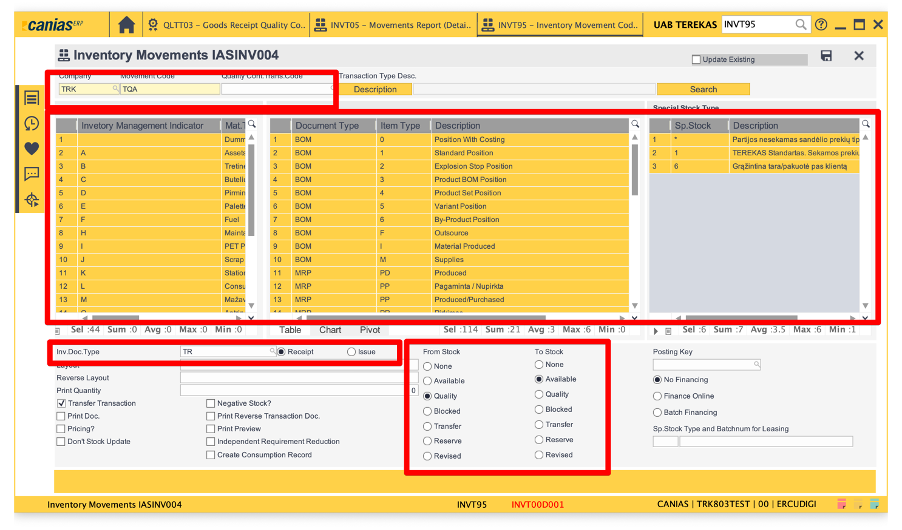
Also there is addititional information regarding transaction movements, when the system gives an error about not to find a transaction movement eg. TQA, you can arrange movement code in INVT95.
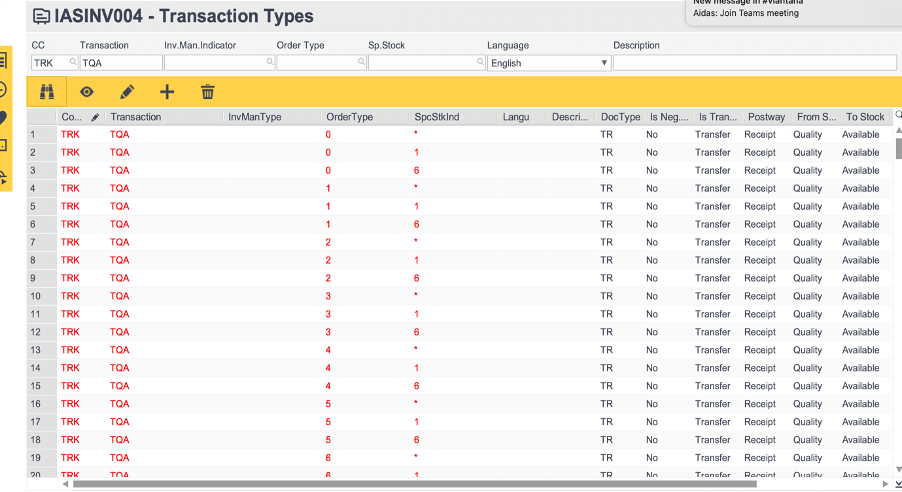
After arranging the transaction movement, you can check it in IASINV004.
Also you need to arrange the transaction type : POQ ( production for quality )
as shown below. After arranging POQ
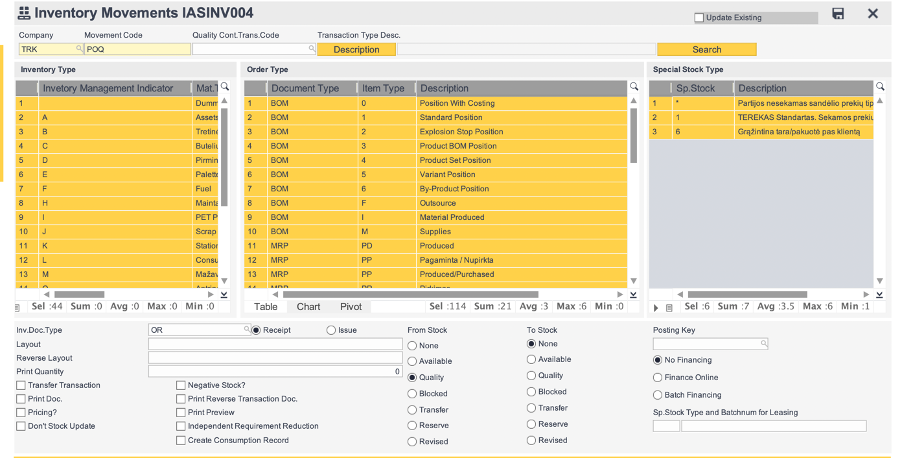
After arranging POQ you’re supposed to mark POQ as quality control trans code in POR movement.